Revamp Old PowerPoints into Video Courses? Zendeck's One-Click Conversion Does It All
I. The All-Too-Familiar Problem: A Library of Mothballed Slides
You know the scene. You open your Google Drive or shared folder, and there it is — a graveyard of old PowerPoints. Training modules from two years ago. Product demos that never got updated. A leadership all-hands deck that was used once and forgotten. They're not bad content. They're just… static. And static content gets ignored.
Let's be real: reworking those slides into video courses used to be a project in itself. You'd need to re-record voiceovers, re-animate transitions, find free stock footage, and pray that the audio syncs. That's why most old presentations stay old. But the fix is simpler than you think.
II. The Pain Point → Solution → Outcome Framework
Pain point: You have valuable knowledge locked inside slide decks, but turning them into engaging video micro-courses is time-consuming and expensive. Solution: Use an AI-powered PPT-to-video converter that automatically reads your slides, generates narration, and applies fresh layouts. Outcome: A polished video course ready to share in minutes, with zero rework of the original file.
This is where Zendeck's PPT-to-video tool comes in. It treats your existing PowerPoint as a starting point, not a burden. Upload your old .pptx, and Zendeck extracts every slide, reads your notes, and builds a video with AI narration, adaptive layouts, and consistent branding.
III. How Legacy Content Gets a Second Life (Without the Grunt Work)
01. Upload the File, Keep the Soul
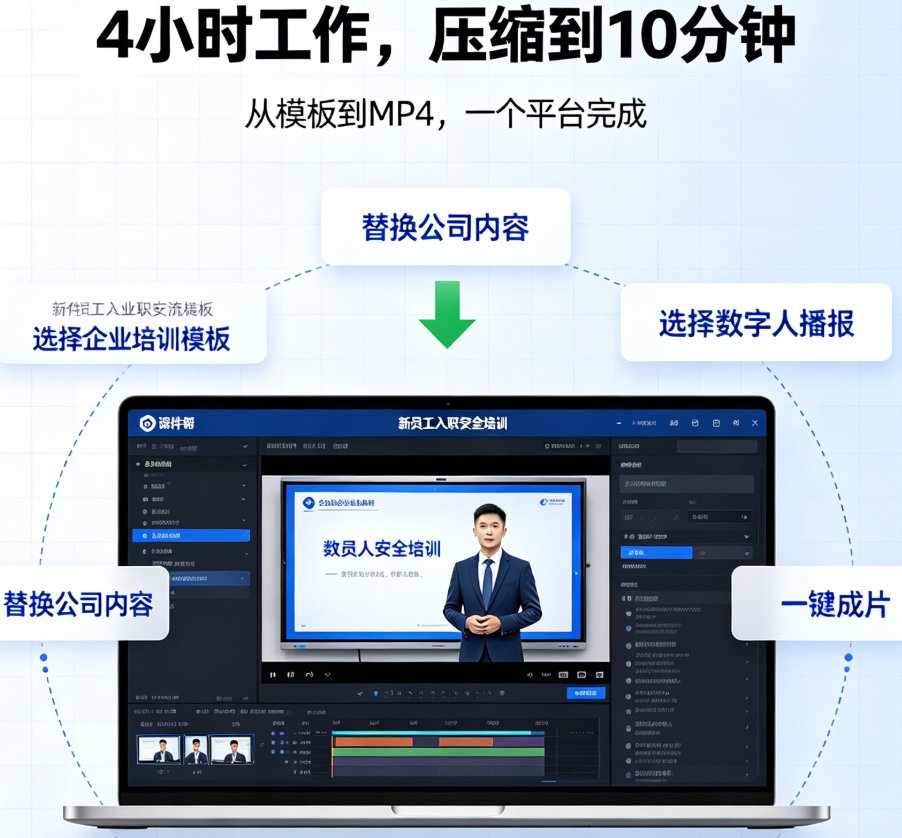
Drop your old PPT into Zendeck. It supports PPT, PPTX, and PDF. The tool reads every slide, including embedded audio recordings, speaker notes, and even existing animations. You don't have to strip anything out. If you already have a recorded voiceover, Zendeck can preserve it. If not, it generates AI narration from your notes or a new script. One upload, zero rework.

02. Let AI Handle the Narration
Here's where the magic happens. Zendeck's AI voice engine turns your script — or the notes you already wrote — into natural-sounding narration. You can choose from multiple languages and voices, set the tone for each scene, and even layer background music. The result is a video that sounds like a professional presenter, not a robot.
03. Apply a Fresh Skin in One Click
Your old slides might have dated fonts or mismatched colors. No problem. Zendeck's smart layout feature lets you apply a new template from its library with one click. All fonts, colors, and layouts update instantly across the entire video. This is especially useful if you're updating a brand's style guide or creating a consistent look for a course series.
04. Export as MP4 (or Keep It as a Deck)
Once you're satisfied, click generate. In seconds to a few minutes, you get an MP4 video ready to upload to your LMS, YouTube, or internal portal. You can also export the project as a standard PPT file if you want to keep editing offline. No technical skills required.
IV. Manual vs. AI Conversion: Why the Old Way Doesn't Cut It
Let's put the numbers on the table. Here's a quick comparison of what it takes to convert a 30-slide training deck into a video:
| Factor | Manual Conversion | AI-Powered (Zendeck) |
|---|---|---|
| Time to complete | 4–8 hours | 2–5 minutes |
| Cost (e.g., freelance voiceover) | $150–$500 | Included in subscription |
| Design consistency | Depends on skill | Automatic with templates |
| Narration quality | Varies; need studio | AI generates natural voice |
| Ability to update | Re-record entire video | Edit script, regenerate |
| Reusable for new brand | Full redesign needed | One-click reskin |
Pro tip: If you're converting a deck that's more than 50 slides, break it into logical modules. Each module becomes a separate video that learners can digest in 5–10 minutes. Zendeck handles each module just as fast.
V. Real-World Scenarios Where This Saves Your Skin
Scenario 1: The Stale Onboarding Deck
Your company's onboarding presentation was last updated in 2022. It's 40 slides, dense text, no audio. HR wants a video version for the new hire portal. With Zendeck, you upload the PPT, select a clean template, add AI narration, and export an MP4. Total time: 10 minutes. The new hires get a video that feels fresh and professional.
Scenario 2: The Conference Talk That Deserves a Second Life
You gave a keynote at a conference with a deck you spent weeks on. Now you want to turn it into a YouTube video for your blog. Zendeck's PPT-to-video tool preserves your slides, adds your voiceover from the notes, and lets you trim or reorder slides. The talk now lives on, reaching thousands more viewers.
Scenario 3: The Teacher's Semester-End Stack
You've taught the same course for three semesters, and your slides are solid. But students are asking for video summaries. Instead of filming yourself lecturing, you upload the slides to Zendeck, add narration, and publish a video series. Your students get a consistent, on-demand review tool.
VI. Why Zendeck Stands Alone (No, Really)
You might be thinking, "Can't I just use PowerPoint's built-in export?" Sure, but you'll get a silent video with no narration, no adaptive layouts, and no branding consistency. Zendeck is built for people who want a finished video, not a screensaver.
Compared to other tools like Gamma or Canva, Zendeck focuses on what matters most: speed, smart layouts, and a polished result without design skills. You don't need to learn a new interface. You don't need to redo your slides. Zendeck's PPT-to-video tool works with the files you already have.
And if you're starting from scratch but want to move from an outline to video, Zendeck also supports Word import to presentations — so you can go from ideas to video in one flow.
VII. What You Can't Afford to Ignore in 2026
Legacy content is a goldmine, not a ghost town. As AI video tools become the norm, organizations that repurpose their existing slides will save thousands of hours and dollars. The alternative is to keep paying people to re-record, re-design, and re-upload.
Here's the bottom line: If you have a PowerPoint that contains valuable information, Zendeck can turn it into a video course in under five minutes. No redesign. No re-recording. No design skills. Just a better way to breathe life into old content.
FAQ
Can Zendeck convert a PowerPoint that already has audio narration?
Yes. Zendeck preserves existing audio recordings while also allowing you to replace or layer AI-generated narration on top. You choose the voice and language for each scene.
How long does it take to convert a PPT to video on Zendeck?
Most conversions complete in seconds to a few minutes, depending on slide count and complexity. A 30-slide deck typically takes under two minutes to generate a full MP4 video.
Do I need design skills to use Zendeck's PPT-to-video tool?
Not at all. Zendeck automatically applies smart layouts and consistent branding from its template library. You can also tweak fonts, colors, and images in the editor without any design background.
Can I add new slides or change the script after converting to video?
Absolutely. The video is built from your slides and script. You can edit text, swap visuals, or reorder slides at any time, and Zendeck will regenerate the video with your updates.
What formats does Zendeck support for input and output?
Input: PPT, PPTX, and PDF. Output: MP4 video with AI narration, subtitles, and optional background music. You can also download the project as a standard PPT file.